We use cookies to make your experience better.
To comply with the new e-Privacy directive, you agree to the privacy policy and our use of cookies.


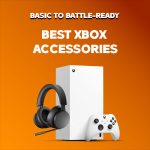
Best Xbox Accessories 2026
Why Accessories Matter in 2026
The Xbox Series X and Series S are solid machines straight out of the box, but the right accessories do more than add comfort. They fill genuine gaps: storage runs out faster than you'd expect, the stock AA battery setup gets old quickly, and playing without a headset means missing a lot of what modern games offer in terms of spatial audio and team communication.
Microsoft has done a good job making sure accessories from older Xbox generations work with current hardware, which is great for your wallet but does make the market confusing to navigate. This guide sticks to what actually makes a difference, based on real testing and current expert recommendations.
01. Controllers
Your controller is the part of the setup you interact with most, so it's worth getting right. The standard Xbox Wireless Controller is genuinely good, but there are better options if you play regularly or competitively.
Xbox Elite Wireless Controller Series 2 - Best Overall
The Elite Series 2 is still the best Xbox controller you can buy in 2026. The remappable rear paddles take some getting used to but make a real difference in fast-paced games where keeping your thumbs on the sticks matters. Hair trigger locks shorten the trigger pull, which helps in shooters. You also get swappable thumbsticks and D-pads, a built-in rechargeable battery that lasts around 40 hours, and the ability to save up to three profiles directly on the controller.
The rubberized grip and shorter bumpers make extended sessions more comfortable than the standard pad. If you want to take the customization further, Xbox Design Lab lets you change colors and hardware finishes.
Pros:
- Adjustable hair-trigger locks
- Remappable rear paddles
- Up to 40-hour battery
- Three on-board profiles
- Precise stick response
Cons:
- $149.99 is a significant outlay
- The Core version does not include extra accessories
8BitDo Ultimate Controller (Xbox Edition) - Best Value
The 8BitDo Ultimate does not get nearly the attention it deserves. It uses Hall Effect joysticks, which rely on magnets rather than physical contact, so stick drift is essentially not a concern over time. It also has rear paddle buttons and a comfortable grip, and it regularly goes on sale for well under what you'd pay for a first-party alternative.
The one catch is that the Xbox version is wired only. For most couch setups that is not a problem, and it works well on PC via Bluetooth too. If you need wireless, look elsewhere, but for the price this controller is hard to beat.
Pros:
- Hall Effect sticks with no drift over time
- Rear paddle buttons
- Often available at a significant discount
- Works well on PC
Cons:
- Wired connection only on Xbox
- No Xbox Wireless protocol support
Note: All Xbox Wireless Controllers, including older models from previous console generations, are compatible with Xbox Series X and Series S. If you are on a tight budget, a used Xbox One controller is a reasonable starting point.
02. Headsets
A decent headset changes how you experience games. Directional audio lets you hear where things are happening before you see them, and in multiplayer games, clear communication with teammates is just as important as having a good controller.
Xbox Wireless Headset - Best Overall
Microsoft's own wireless headset pairs with your console in seconds using Xbox Wireless, no dongle or Bluetooth setup required. Audio quality is good for the price and it supports Dolby Atmos for spatial sound. The feature that stands out most is dual-stream audio: the headset can connect to your console and your phone at the same time, so you can take a call or listen to music without losing game audio. Each earcup has its own dial for game and chat volume separately, which is a nice touch at this price point.
Pros:
- Instant pairing with no dongle
- Dolby Atmos support
- Dual wireless audio streams
- Good value for the price
Cons:
- Microphone is not detachable
- Plastic build quality feels mid-range
SteelSeries Arctis Nova 3X - Best Premium Option
The Arctis Nova 3X is designed with Xbox consoles in mind and is one of the better wireless headsets in its price bracket. It uses 40mm neodymium drivers, a ClearCast bidirectional microphone, and a suspension headband that spreads weight across the top of your head rather than pressing down on it. For long sessions that makes a genuine difference in comfort. It also works on PlayStation and PC, which is worth considering if you game across more than one platform.
Pros:
- Strong audio quality
- Suspension headband is comfortable over long sessions
- Works on multiple platforms
- Good microphone quality
Cons:
- Costs more than the Xbox Wireless Headset
- No native Dolby Atmos support
03. Storage Expansion
Modern games are large. Triple-A titles regularly come in at over 100GB, and the Xbox Series X's internal 1TB drive fills up faster than most people expect. Sorting out storage early saves a lot of frustration later.
Seagate Storage Expansion Card for Xbox - Top Recommendation
The Seagate Expansion Card slots into a proprietary port on the back of the console and runs at the same NVMe speeds as the internal drive. This matters because games designed for Xbox Series X and Series S can only run from storage that meets that speed threshold. Cheaper USB drives cannot run those games at all - they can only store them while the game itself runs from internal storage.
The card comes in 512GB, 1TB, and 2TB. The 1TB option is the most practical choice for most people. Prices have come down noticeably and it effectively doubles your fast storage in a card not much bigger than a flash drive.
Pros:
- Full NVMe SSD speeds matching internal storage
- Can run Xbox Series X and Series S optimized games natively
- Simple to install
- Three capacity options
Cons:
- Only works with Xbox consoles due to proprietary slot
- More expensive than external USB drives
Worth knowing: There are two types of Xbox storage upgrades. Expansion Cards like this one use the proprietary slot and let you run any game at full speed. External USB drives are cheaper but can only store games, not run the Xbox Series X and Series S optimized versions. Make sure you know which you need before buying.
04. Charging Solutions
The Xbox Wireless Controller ships with AA batteries. Microsoft has kept this setup across multiple controller generations because replaceable batteries mean you are never stuck waiting for a charge. That said, most players eventually want something more convenient.
8BitDo Xbox Charging Dock - Top Pick
The 8BitDo dock comes with a rechargeable battery pack and a simple translucent base. You drop the controller in and it charges. There is not much more to say - it does exactly what it should, reliably. It is worth sticking to known brands for charging accessories. Cheap alternatives can deliver inconsistent charge cycles that wear down batteries faster, and in rare cases cause damage to the controller itself.
Pros:
- Reliable and consistent charging
- Rechargeable battery included
- Clean, minimal design
Cons:
- Only charges one controller at a time
- Costs more than no-name alternatives
Xbox Play and Charge Kit - Official Option
Microsoft's Play and Charge Kit replaces the AA batteries with a rechargeable pack that sits in the same slot. You get around 30 hours of play per charge and can charge via USB-C while still playing, so you do not need to stop mid-game. A full charge from empty takes about four hours.
Pros:
- 30-hour battery life
- Charge while playing via USB-C
- Official Microsoft product
Cons:
- No charging dock included
- Requires a cable while charging
05. Mobile and Cloud Gaming
Xbox Cloud Gaming, included with Game Pass Ultimate, lets you stream games from Microsoft's servers to a phone, tablet, or browser. The library is large and it works better than most people expect. The weak link is usually the control method - touch controls are fine for some games, but for anything action-heavy you want a proper controller.
Backbone One (iPhone and Android) - Best Mobile Controller
The Backbone One clips onto your phone and turns it into something that feels like a proper handheld console. It draws power from your phone's charging port so there is no separate battery to charge, and it folds down small enough to keep in a jacket pocket. The build quality is good, the stick and button placement is comfortable, and it makes cloud gaming genuinely enjoyable rather than just functional.
It also works with Apple Arcade, Netflix Games, and any other game that supports a controller, so it is useful beyond Xbox Cloud Gaming.
Pros:
- No separate battery required
- Solid build quality
- Works with all major cloud gaming services
- Compact and easy to carry
Cons:
- Xbox games require a Game Pass Ultimate subscription
- Cloud gaming requires a reliable internet connection
06. Quick Comparison
Here is a side-by-side look at all the accessories covered in this guide.
| Accessory | Category | Wireless | First-Party | Price Tier |
|---|---|---|---|---|
| Xbox Elite Controller Series 2 | Controller | Yes | Yes | Premium |
| 8BitDo Ultimate (Xbox) | Controller | No | No | Mid-range |
| Xbox Wireless Headset | Audio | Yes | Yes | Mid-range |
| SteelSeries Arctis Nova 3X | Audio | Yes | No | Premium |
| Seagate Expansion Card 1TB | Storage | N/A | No | Mid-range |
| 8BitDo Charging Dock | Charging | N/A | No | Budget |
| Xbox Play and Charge Kit | Charging | N/A | Yes | Budget |
| Backbone One | Mobile | Yes | No | Mid-range |
07. How to Build Your Setup
The best approach is to buy based on what is actually causing friction in your gaming, not what looks good on a spec sheet. Here is a practical way to think about it.
Start with your biggest frustration
If you keep running out of storage, buy the Seagate card first. If your battery dies mid-session regularly, sort charging before anything else. If you play online and struggle to hear what is going on, a headset will do more for your experience than a new controller. Fix the real problem first.
First-party vs third-party
Microsoft accessories are generally the safest bet for compatibility and long-term support. That said, brands like 8BitDo, SteelSeries, and Seagate are well established and their Xbox accessories are reliable. Where you should be cautious is with cheap, no-brand accessories, particularly anything involving batteries or charging.
Check compatibility before you buy
A lot of Xbox One accessories carry over to Series X and Series S, which can save you money if you are upgrading. Controllers, headsets using a 3.5mm jack or Xbox Wireless, and standard USB peripherals usually work fine. The proprietary expansion card slot is the main exception - that is Series X and Series S only.
Game Pass Ultimate changes what is worth buying
If you are already subscribed to Game Pass Ultimate, a mobile controller like the Backbone One becomes a much more useful purchase. You already have a large library of games you can stream anywhere - you might as well be able to play them properly. Without that subscription, mobile accessories drop down the priority list.
Suggested order for new Xbox owners: Storage expansion first, then a rechargeable battery solution, then a headset, then an extra controller if needed, then mobile accessories if cloud gaming appeals to you.
08. Frequently Asked Questions
What is the single best Xbox accessory to buy first?
For most people, the Seagate Storage Expansion Card makes the most immediate difference. Running out of internal storage is the number one frustration Xbox Series X and Series S owners run into, and the expansion card solves it without any trade-off in game loading or performance.
Is the Xbox Elite Controller Series 2 worth the price?
For players who game regularly and especially those who play competitive titles, yes. The trigger locks and rear paddles give you real advantages in fast games. For casual players, the standard Xbox Wireless Controller is excellent and the Elite's extra cost is harder to justify.
Can I use my old Xbox One headset with Xbox Series X?
In most cases, yes. Headsets that connect via the 3.5mm jack on the controller or through Xbox Wireless will work on Xbox Series X and Series S. Headsets that relied on a proprietary Xbox One adapter may have limited compatibility - worth checking with the manufacturer for your specific model.
Do I need Game Pass Ultimate for cloud gaming?
Yes. Xbox Cloud Gaming is part of Game Pass Ultimate, which costs $16.99 per month. The subscription also includes access to a large game library on Xbox and PC, online multiplayer, and streaming across phones, tablets, computers, select smart TVs, and Meta Quest headsets.
Do accessories work across both Xbox Series X and Series S?
Almost all of them, yes. Controllers, headsets, charging accessories, and storage expansion cards work the same on both consoles. The difference between the two machines is performance and the presence or absence of a disc drive, not the accessory ecosystem.